
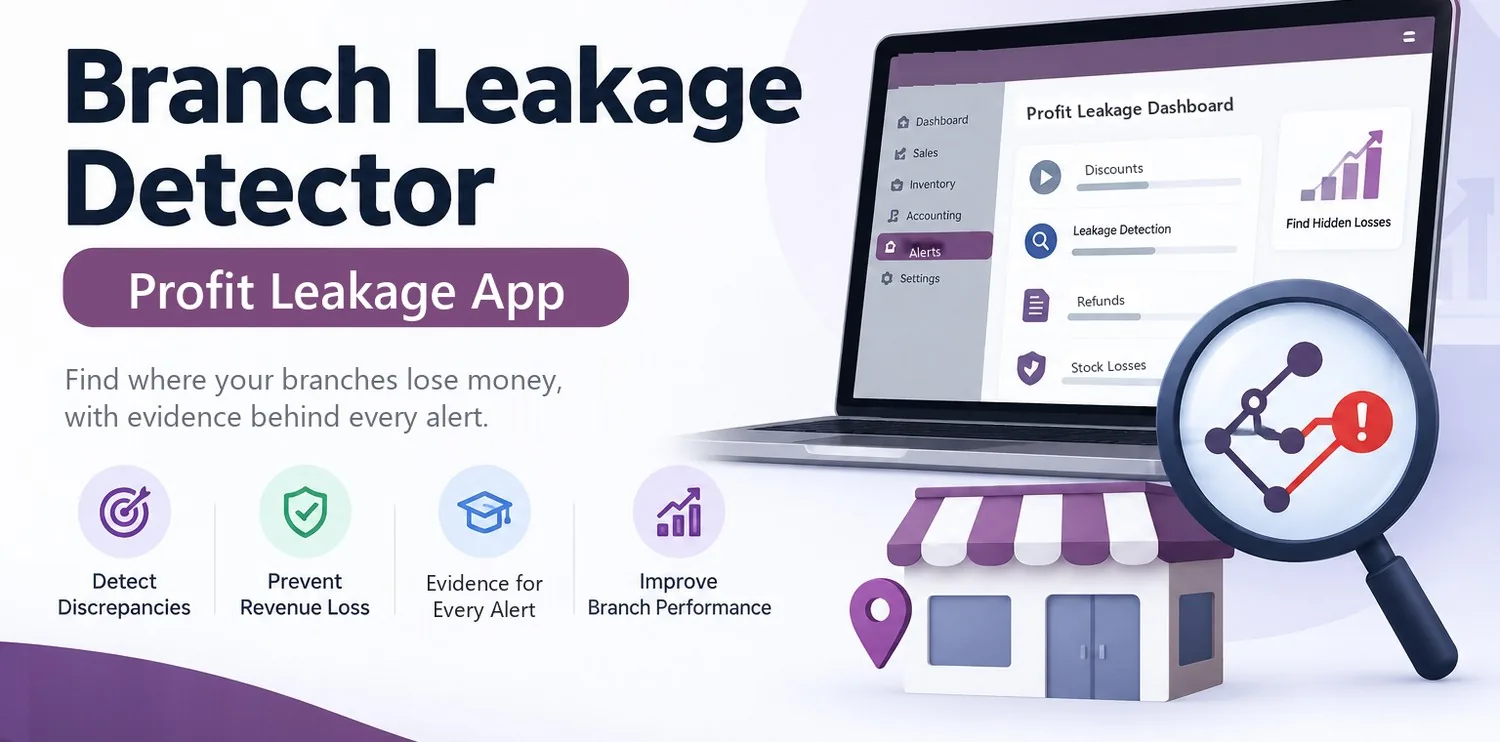
Stop silent losses
Discounts above the limit, sales below cost, refunds, stock losses and suppliers paid twice are found every night, not at year end.
Odoo app · Odoo 17, 18, 19 and 20
Find where your branches lose money: discounts above the limit, sales below cost, unusual refunds, stock losses, double payments and falling margins. Every alert shows how the amount was calculated and the documents that prove it.
$135£100AED 495Rs 37,000 one-time licence
One company's Odoo database and its test copies. Prices exclude any VAT or sales tax.
Choose your Odoo version
Finds where each branch loses money in Odoo, with the calculation and the source documents behind every alert.
Discounts above the limit, sales below cost, refunds, stock losses and suppliers paid twice are found every night, not at year end.
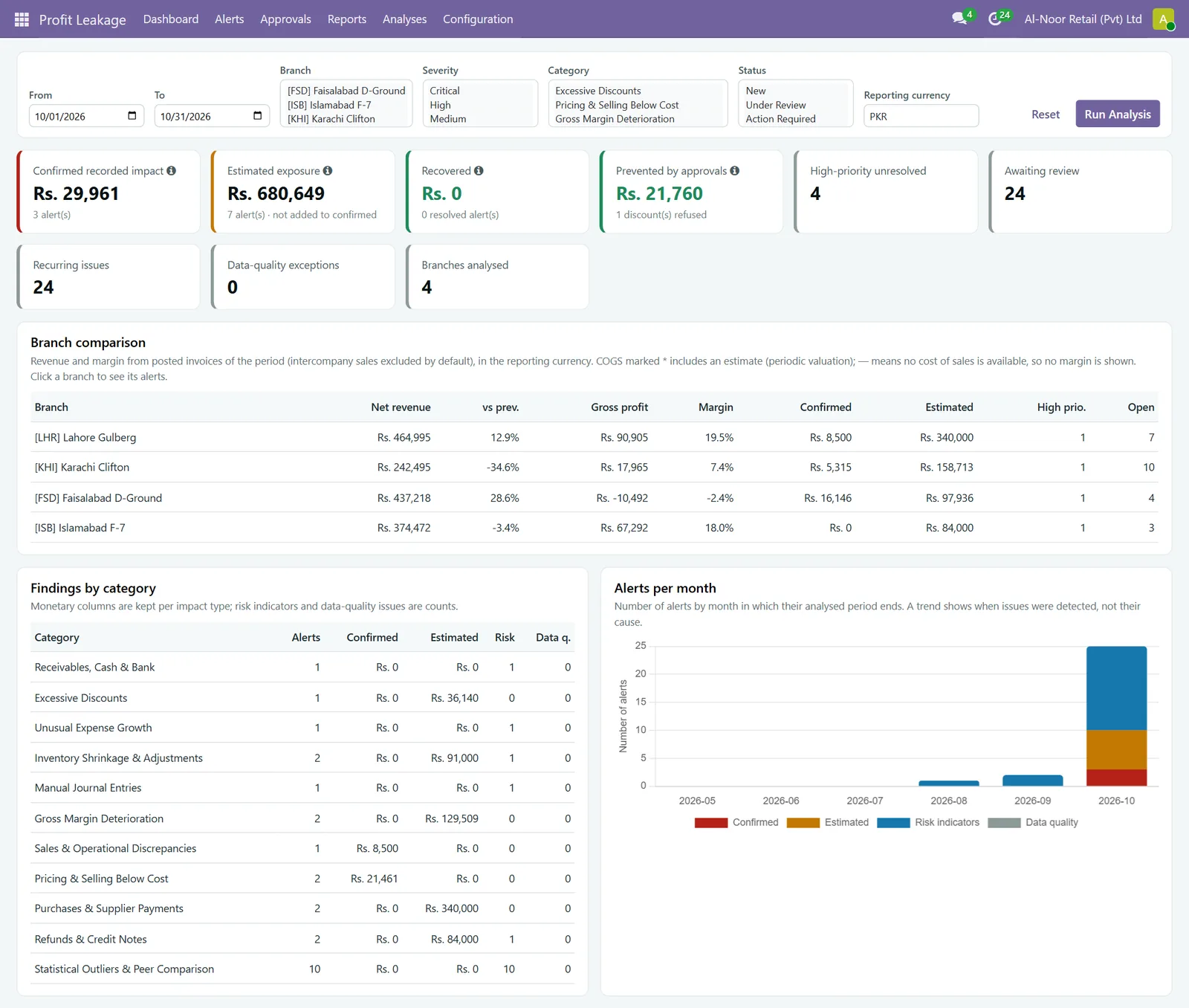
Revenue, margin and leakage of every branch side by side, against each other and against each branch's own history.
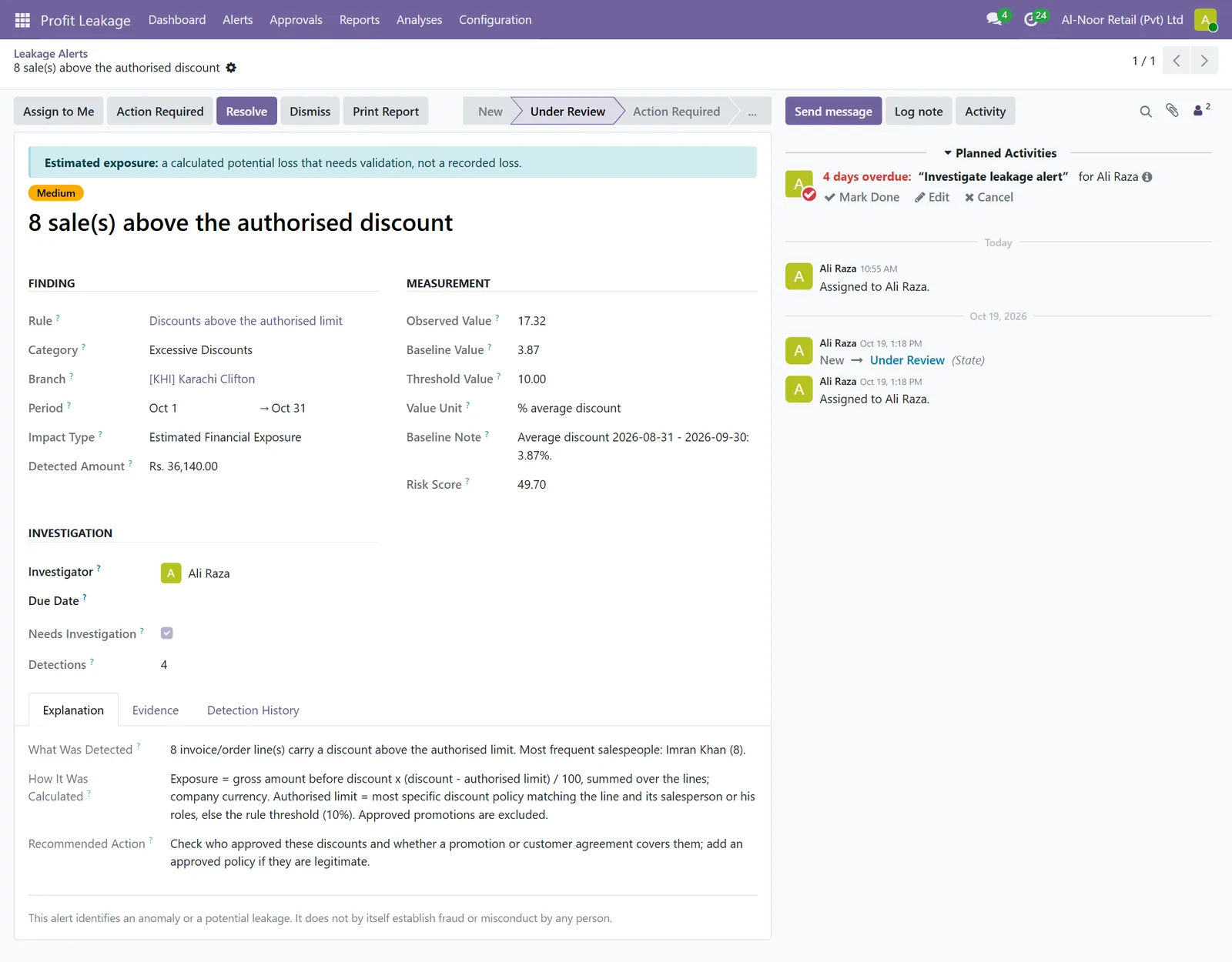
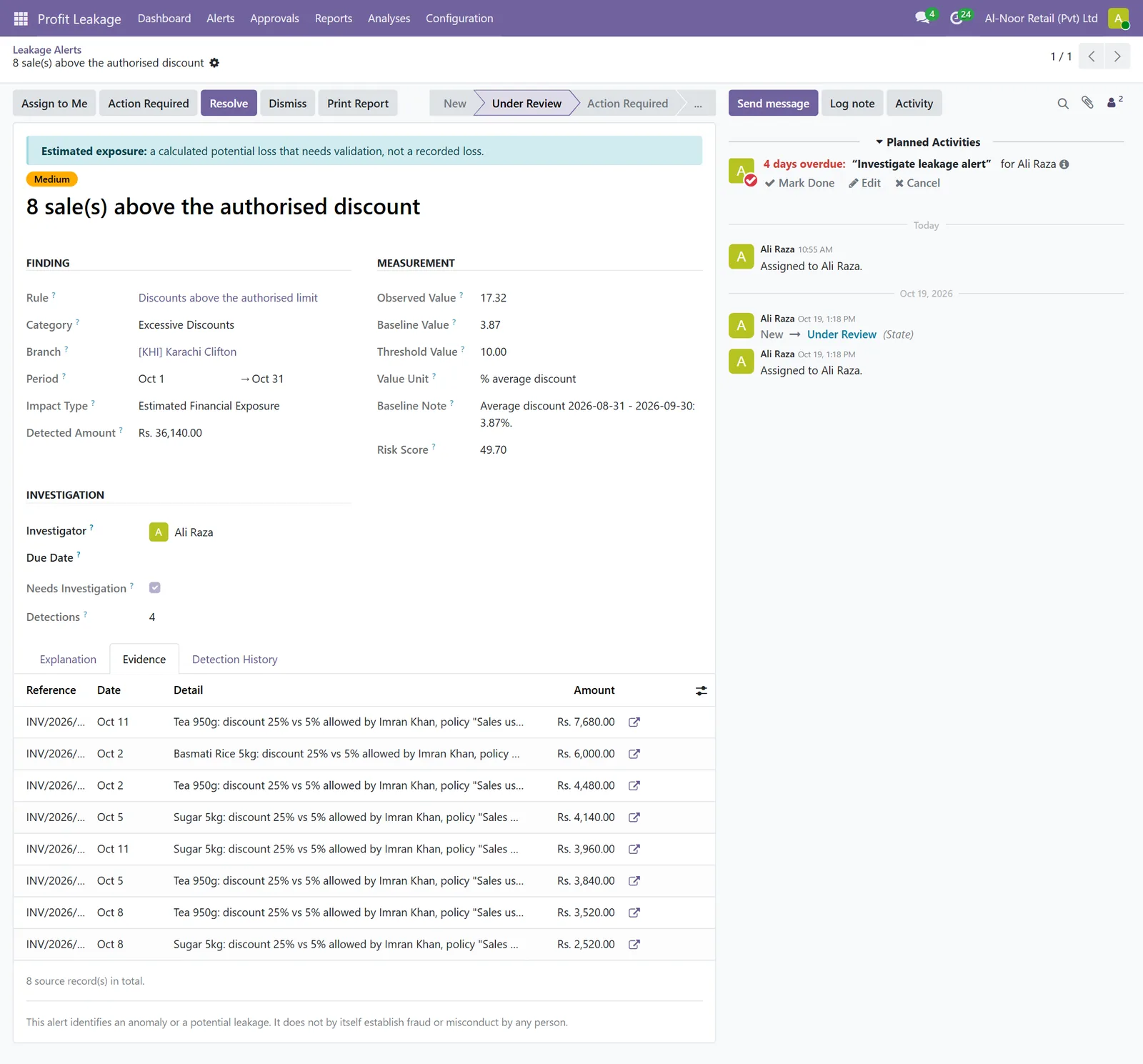
Every amount comes with its calculation in plain words and the invoices, stock moves or payments behind it, one click away.
Quotations above the salesperson's discount limit wait for a manager's approval, and the money recovered on each case is recorded.
Link each branch to its warehouses and analytic account, once. Documents are attributed by rule, never guessed.
No extra data entry: the app reads the invoices, bills, payments, stock moves, journal entries and POS sessions you already post.
The analysis runs every night on the current and previous month. You can also run any period by hand.
The dashboard and the alert list show what was found, its amount, its risk score and the next action.
Assign, review, then resolve with the confirmed loss and the money recovered, or dismiss with a reason. Nothing is deleted.
Branch and staff scorecards, savings and recoveries, and email summaries for management.
Screens from Odoo 19 with demonstration data. Names and amounts are invented.
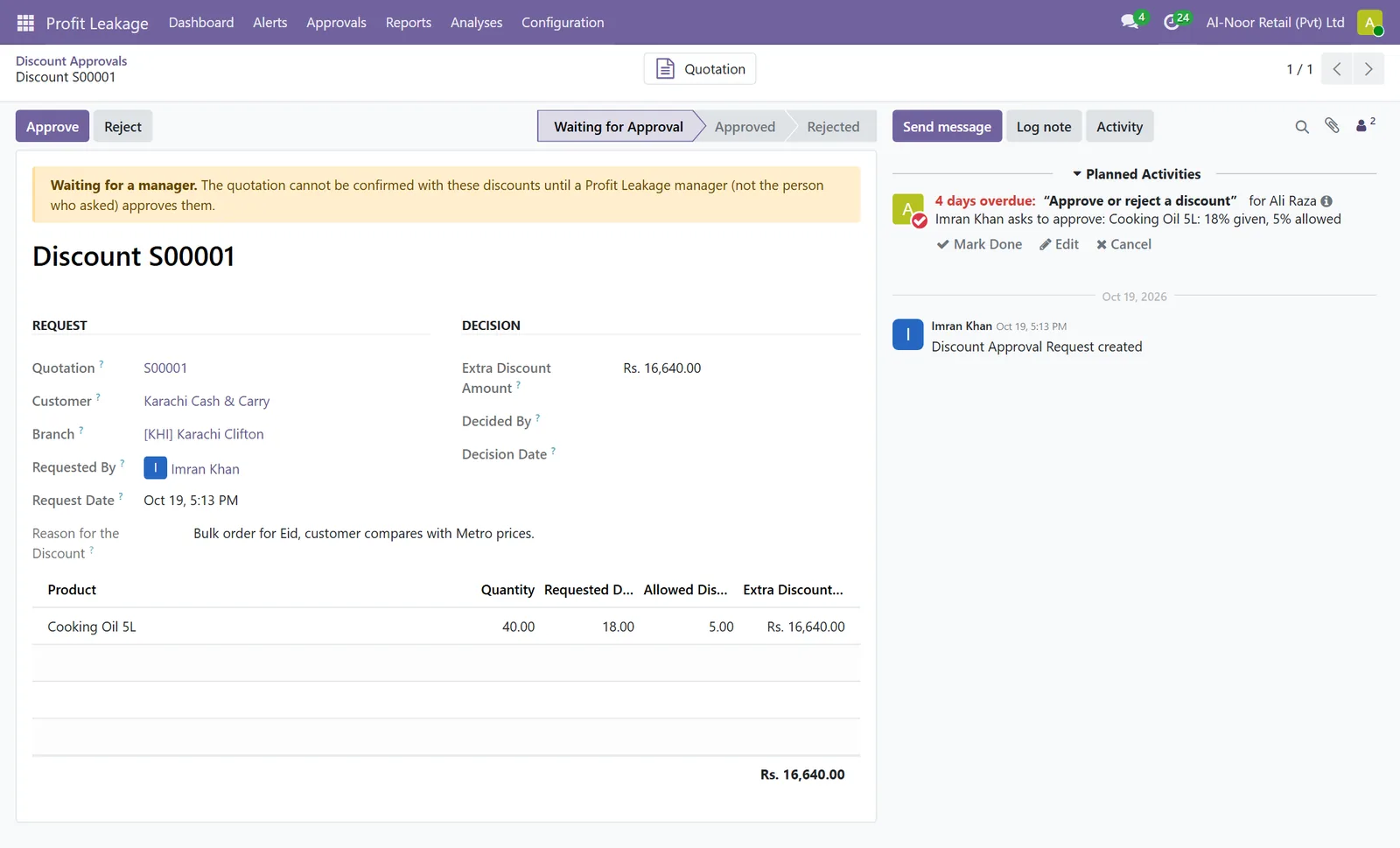
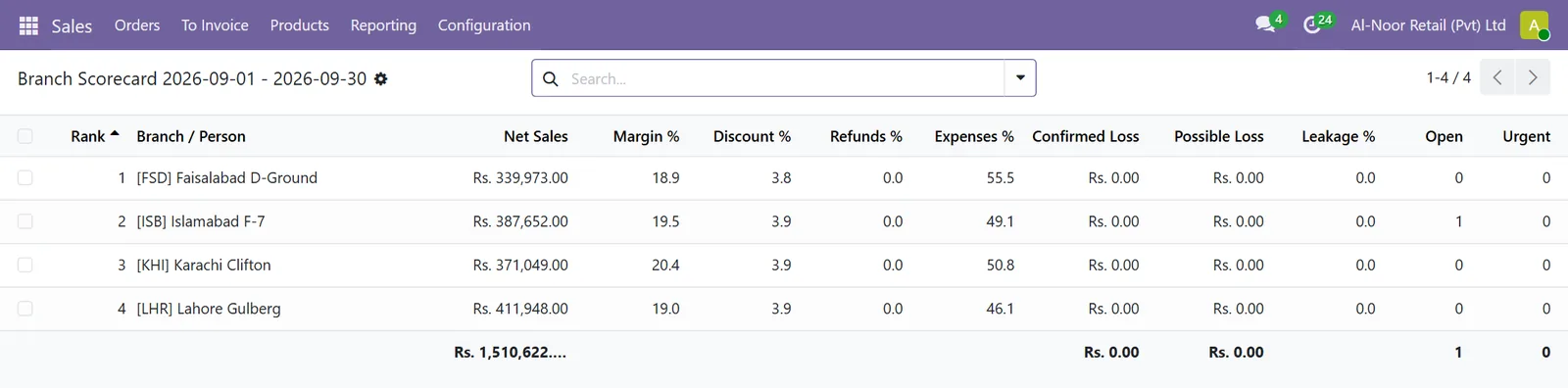
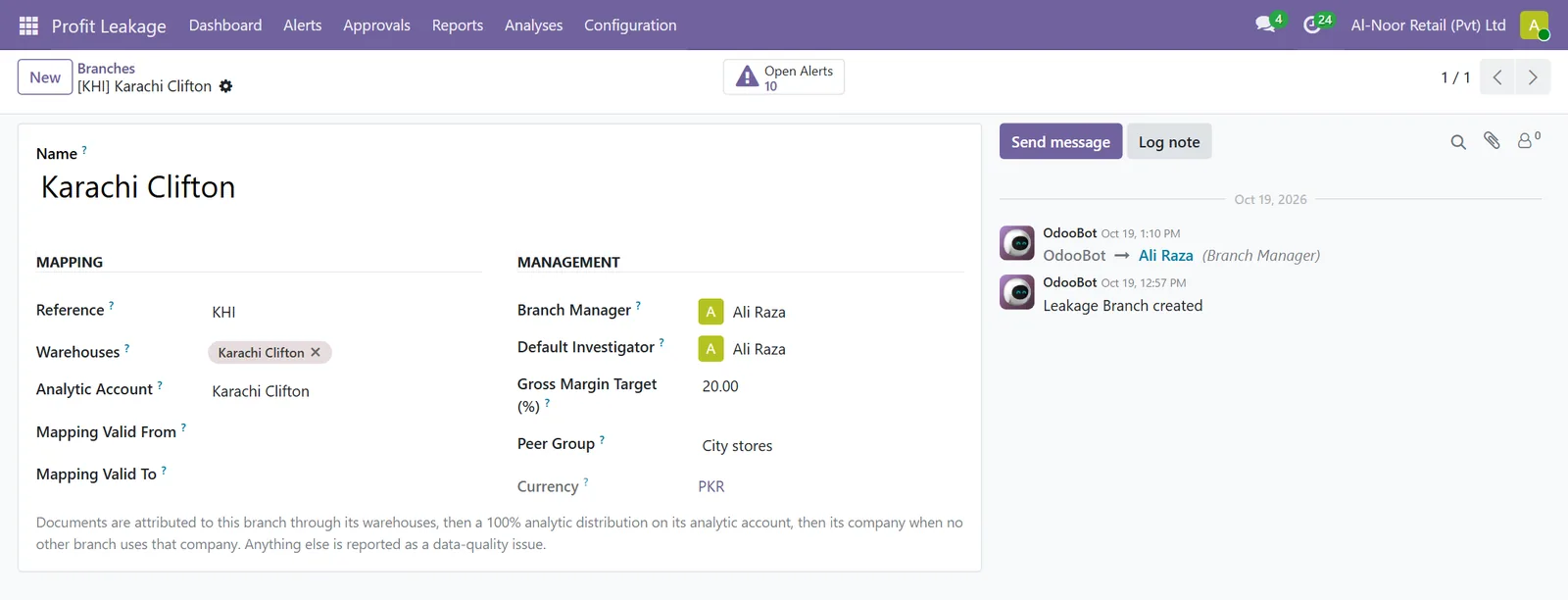
Odoo Community or Enterprise with Invoicing (or Accounting), Sales and Inventory. Point of Sale is optional.
| Odoo version | Notes |
|---|---|
| Odoo 17 | Point-of-sale manual price changes are not checked (Odoo 17 does not record them). |
| Odoo 18 | All features. |
| Odoo 19 | All features. |
| Odoo 20 | Also installs Odoo's Discuss Tracking module, where Odoo 20 keeps price history. |
Click the version you run. Not sure which one? Check Settings in Odoo, or ask us.
The contact form opens with the app and version selected. Add your company name and email.
We send an invoice in your currency. Bank transfer, as in our payment policy.
After payment, we email the download link, the user manual and the training guide, usually within one business day.
Odoo 17, 18, 19 and 20, Community and Enterprise. Each version has its own package, so tell us the version you run. Invoicing (or Accounting), Sales and Inventory must be installed; Point of Sale is optional.
Standard Odoo Online subscriptions do not allow custom apps. The app works on Odoo.sh and on any server where you or your partner can install modules (on-premise or cloud hosting).
No. The app reads the documents already posted in Odoo. Only the branch mapping is set up once by an administrator.
No. An alert shows an anomaly or a potential leakage, with its evidence. Estimates are never shown as recorded losses, and the staff scorecard lists points to check, not accusations.
Yes. We can install the app, map your branches, tune the rules with your team and run the training. Ask for a quote with the order.
The app is being published on the Odoo Apps Store too. The price there is never higher than here; buying directly from us adds help in your time zone and local payment options.
Next step
We install the app, map your branches, tune the rules with your team and run the training. Tell us your Odoo version and number of branches.